Why Data Storage Units Matter
Every photo you take, every document you create, and every app you download takes up digital space measured in data storage units. Understanding these units helps you answer common questions: How many photos can I store on my phone? Is 256GB enough for my laptop? What cloud storage plan do I need?
Data storage has evolved dramatically since the early days of computing. The first hard drive in 1956, the IBM 350, stored just 3.75 megabytes and was the size of two refrigerators. Today, a microSD card smaller than your fingernail can hold 1 terabyte, over 250,000 times more data. This exponential growth makes understanding storage units more important than ever.
The Building Blocks: Bits and Bytes
At the most fundamental level, all digital data is stored as bits, which are binary digits that can be either 0 or 1. Eight bits make up one byte, which is the basic unit for measuring file sizes. A single byte can represent one character of text, like the letter A or the number 5.
The prefix system used for data storage borrows from the metric system but with an important twist. In computing, the multiplier is often 1,024 rather than 1,000, because computers work in binary (powers of 2). However, storage manufacturers often use the decimal system (powers of 1,000) for marketing, which creates the common discrepancy between advertised and actual storage capacity.
Binary vs Decimal
Try the Calculator
Use our free Megabytes to Gigabytes converter for instant, accurate results.
💾Convert MB → GBCommon Storage Units Explained
Let us walk through the most common data storage units you will encounter in everyday life. Each unit is 1,000 times larger than the previous one in the decimal system, or 1,024 times larger in the binary system used by operating systems.
A kilobyte (KB) equals 1,000 bytes and is used for small text files. A typical email without attachments is about 2-5 KB. A megabyte (MB) equals 1,000 KB and is common for photos and music files. A high-quality smartphone photo is typically 3-5 MB. A gigabyte (GB) equals 1,000 MB and is the standard for apps, videos, and device storage. A terabyte (TB) equals 1,000 GB and is common for external drives and cloud storage plans.
| Unit | Abbreviation | Size | Common Examples |
|---|---|---|---|
| Byte | B | 8 bits | Single character |
| Kilobyte | KB | 1,000 bytes | Text document (2-5 pages) |
| Megabyte | MB | 1,000 KB | MP3 song (3-5 MB), Photo (3-8 MB) |
| Gigabyte | GB | 1,000 MB | HD movie (4-5 GB), Mobile app (1-3 GB) |
| Terabyte | TB | 1,000 GB | External hard drive, Large photo library |
| Petabyte | PB | 1,000 TB | Data centers, Enterprise storage |
What Can You Store? Practical Examples
Understanding abstract numbers becomes easier with real-world examples. Here is what you can typically store in different amounts of space.
With 1 GB, you can store approximately 250 high-quality photos, 230 MP3 songs, 7 minutes of 4K video, or about 500 ebooks. With 100 GB, enough for many smartphone users, you can store 25,000 photos, 23,000 songs, or about 20 HD movies.
With 1 TB, you can store 250,000 photos, 200,000 songs, 500 hours of HD video, or run a small business with years of documents. Modern games can be particularly space-hungry, with some AAA titles requiring 100-150 GB each, meaning a 1 TB drive might only hold 6-10 large games.
Choosing Storage Size

How to Convert Between Storage Units
Converting between data storage units is straightforward once you understand the relationships. To convert from a smaller unit to a larger one, divide by 1,000. To convert from a larger unit to a smaller one, multiply by 1,000.
For example, to convert 5,000 MB to GB, divide by 1,000 to get 5 GB. To convert 2.5 TB to GB, multiply by 1,000 to get 2,500 GB. Keep in mind that your operating system might use binary calculations, so actual displayed values may differ slightly.
Quick Conversion Formulas
🧮Quick Calculator
1 MB = 0 GB
Types of Storage Devices
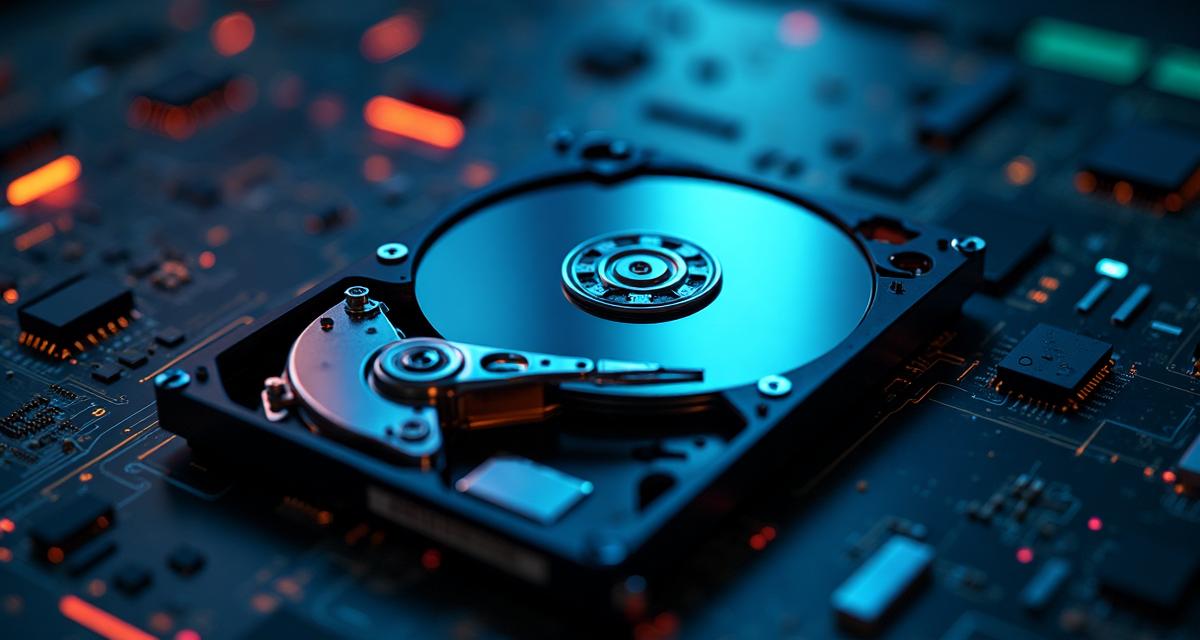
Different storage technologies offer various trade-offs between speed, capacity, durability, and price. Hard Disk Drives (HDDs) use spinning magnetic platters and offer high capacity at low cost but are slower and vulnerable to physical damage. They are ideal for bulk storage and backups.
Solid State Drives (SSDs) use flash memory with no moving parts, making them faster, more durable, and more energy-efficient than HDDs. They are the preferred choice for operating systems and frequently accessed files. NVMe SSDs connect directly to the motherboard for even faster speeds.
Cloud storage provides off-site storage accessed via the internet. It offers automatic backup, access from any device, and no risk of physical damage. Popular services include Google Drive, iCloud, Dropbox, and OneDrive, typically offering 5-15 GB free and paid plans up to several terabytes.
Understanding Bits vs Bytes in Internet Speed
A common source of confusion is the difference between bits and bytes in internet speed measurements. Internet Service Providers measure connection speed in megabits per second (Mbps), not megabytes. Since there are 8 bits in a byte, you need to divide your internet speed by 8 to get your actual download speed in megabytes per second.
For example, a 100 Mbps connection can theoretically download at 12.5 MB per second. A 1 Gbps (gigabit) connection downloads at about 125 MB per second. This is why downloading a 4 GB file on a 100 Mbps connection takes about 5-6 minutes, not the 40 seconds some might expect.
Speed vs Storage
The Future: Beyond Terabytes
As our data needs continue to grow, larger storage units are becoming relevant even for consumers. Petabytes (1,000 TB) are already common in enterprise data centers. Exabytes (1,000 PB) measure global internet traffic, while zettabytes and yottabytes exist primarily in theoretical discussions.
Emerging technologies promise even denser storage. DNA storage could theoretically store 215 petabytes in a single gram of DNA. Glass storage, developed by Microsoft, can store terabytes of data for thousands of years. Holographic storage uses light patterns to store data in three dimensions, offering potential capacities of several terabytes per disc.